What is the Risk Assessment Template for ISO 42001
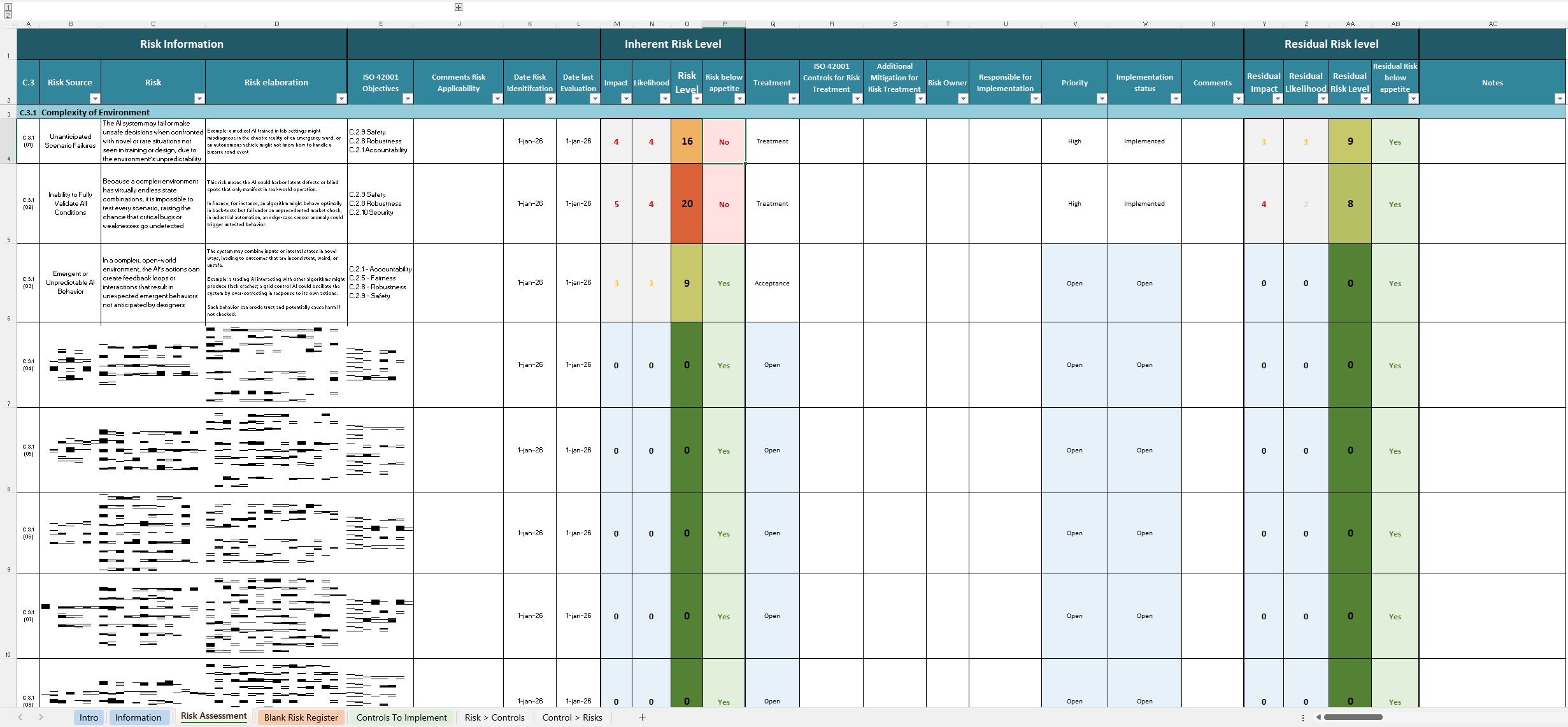
This download is a fully-interactive Microsoft Excel spreadsheet engineered based on C.3 “Risk Management” of ISO / IEC 42001:2023 (Artificial-Intelligence Management Systems, AIMS).
- 65 pre-written risks covering risk source in Annex C (Environment, Machine-Learning, Organizational, Legal/Ethical, Societal/Environmental, Hardware, Life-Cycle, Emerging Tech).
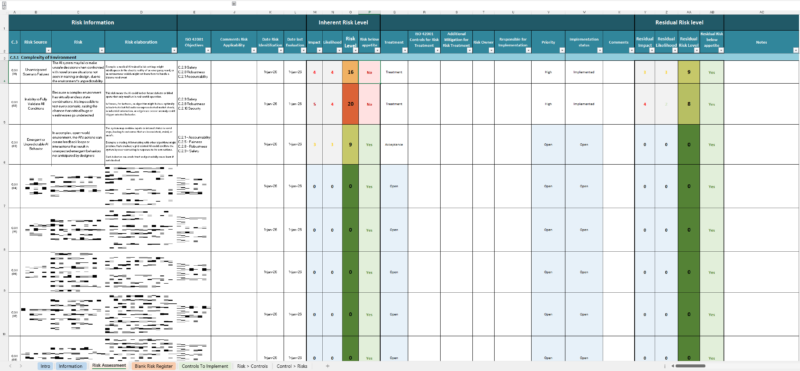
- Built-in evaluation engine that calculates inherent score, residual score and shows status.
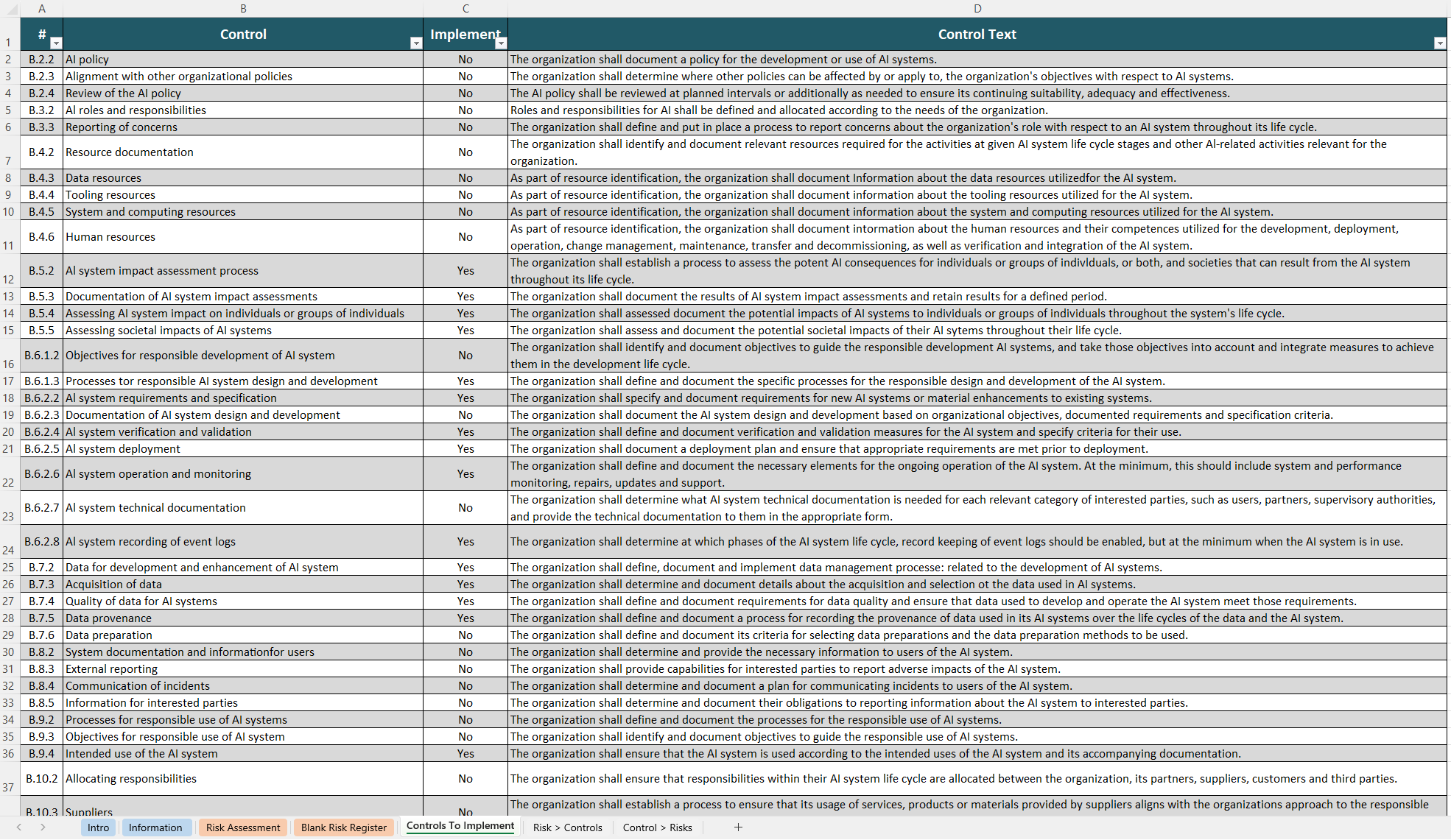
- Control mapping—each risk is pre-linked to the exact 42001 control topic (e.g. “B 6.2.5 AI system Deployment”, “B 8.2 System documentation and information for users”) so you can demonstrate traceability in one click.
- Action tracker Mark a risk for “Treatment”, assigning owners, due dates, priorities and implementation status.
When to use it
| Situation |
Why the template helps |
| Planning an ISO 42001 certification project |
Jump-starts Clause C.3 without a blank-page. Upload the workbook as objective evidence in Stage 1. |
| Integrating AI governance into an existing 27001 ISMS |
Uses the same risk terminology (Impact × Likelihood matrix) and color coding, so your team can slot it into the current risk register. |
| Vendor or internal model review |
Evaluate each AI service or model against a uniform risk baseline before procurement or deployment. |
| Annual AIMS management-review |
Re-score impact/likelihood, watch residual heat-maps change automatically, and export the new state for management minutes. |
| Consultancy engagements |
Provide clients an editable, white-label deliverable instead of screenshots or PDFs. |
How to use it
- Open the “Intro” sheet
Read the quick-start and set your organization’s risk appetite (1–25 range). All formulas update.
- Adjust pre-seeded risks (or hide what doesn’t apply)
Add your context in the “Applicability” column.
- Score inherent risk
Select “Impact” and “Likelihood”. The “Risk Level” column and heat-map cell change color (green ≤ appetite, amber close, red > appetite).
- Decide treatment
Choose “Treat”, “Tolerate”, “Transfer” or “Terminate”.
- Customize and accept controls
Each risk already lists candidate ISO 42001 controls; you can add non-standard mitigations in the extra column provided.
- Calculate residual risk
After controls are implemented, update the residual Impact / Likelihood columns—remaining risk level re-calculates and “Below Appetite?” flips to Yes/No.
- Export evidence for audit
Print to PDF or paste charts into your AIMS management-review deck. Auditors see risk → control traceability, treatment decisions, implementation status and residual scoring—all in one file.
Detailed contents
| Worksheet |
Key elements |
Typical user |
| Intro & Key |
Scope statement, rating legend, appetite slider |
AIMS manager |
| Information |
Editable context, stakeholder map, legal/regulatory drivers |
Compliance officer |
| Risk Assessment |
Master register (65 risks) + formula columns |
Risk owner / SME |
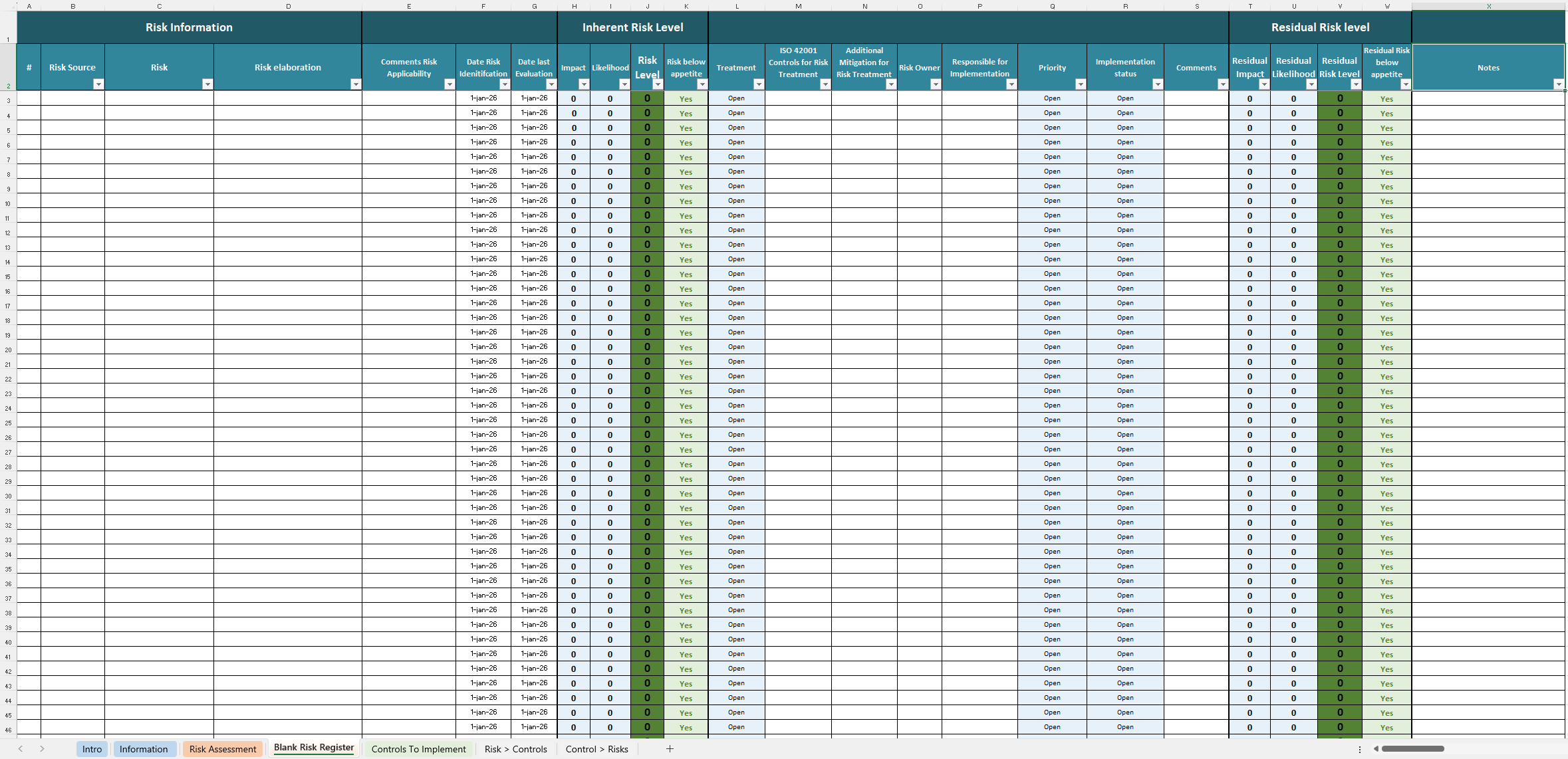
| Blank Risk Register |
Clean sheet with formulas pre-wired |
Project teams |
| Controls-to-Implement |
Tracker, status drop-downs, date overdue |
Project manager |
| Risk ↔ Controls Matrix |
Pivot linking every mitigated risk to implemented controls |
Internal auditor |
Features
- Filter-friendly design – every column has Excel tables & slicers; quickly slice by department, technology, deployment stage, etc.
- Version control field – enter revision/date; change-log auto-grows—useful for auditors checking continual-improvement evidence.
- No VBA, no security warnings – purely formula-based so it runs on locked-down corporate laptops and Office 365 online.
- Colour-blind palette – uses a WCAG-compliant red/amber/green so status is visible even in greyscale prints.
Instant download & support
- Download – Secure download link immediately after checkout.
- Support – Email contact@cyberzoni.com for template questions.
Value
- Save 60–80 hours of risk assessment spreadsheet building and control cross-referencing.
- Pass audits faster with fully traceable risk-to-control mapping.
- Embed governance culture—everyone from the security team to executives works from one live risk view.
Related
Only logged in customers who have purchased this product may leave a review.


Reviews
There are no reviews yet.